Using Zotero plugins to manage LaTeX bibliography
I started using Zotero since 2020 and it really saved me a lot of time comparing to other similar softwares.
Now I am planning to use LaTeX to write my doctoral thesis. My undergraduate thesis was compiled by LaTeX but at that time the thesis cited merely around 50 papers. For the doctoral thesis, there might be more than 200 or 300 references needed. So I can no longer manmually add, tag and manage the bibliographies.
Luckily, there is a Zotero plugin named Better BibTeX which can generate/update the .bib file for LaTeX (specifically, BibTeX), and it can also generate the citation key automatically.
1. Installation of Better BibTeX
Similar with other plugins, download the plugin in GitHub repo and install.
2. Configuration of Better BibTeX
Zotero - Settings - Better BibTeX - Preferences
Just leave most of the options as default.
You can reduce the file size of the .bib file by specifying the omitted fields from exports in ‘Export - Fields’. I omitted month, abstract, note, extra and file.
Then every time you launch Zotero, the plugin will automatically generate the citation keys for each item (which will be used in LaTeX). You can also specify the naming convention of the citation keys in plugin preferences but I left it as default.
3. Export the library and keep it updated
Now you have configured the plugin and you can somehow use the citation key to add a citation in LaTeX file.
The last step is to export all the references as one file.
Zotero - Settings - Exports
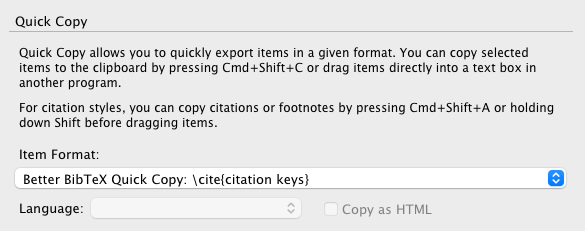
Here you can setup the quick copy.
Zotero - File - Export Library - BetterBibTeX - Keep Updated

Then you can use the generated .bib file in LaTeX.